
Mass Payout Management
When a marketplace has many sellers with pending earnings, paying them one at a time is slow. Mass payout lets the admin settle multiple payable orders — across one or many sellers — in a single action, from the same Seller Payout Management screen.
What you'll learn
- How mass payout relates to individual payments
- How to pay several orders at once
- How to target a payout run with filters
Where mass payout lives
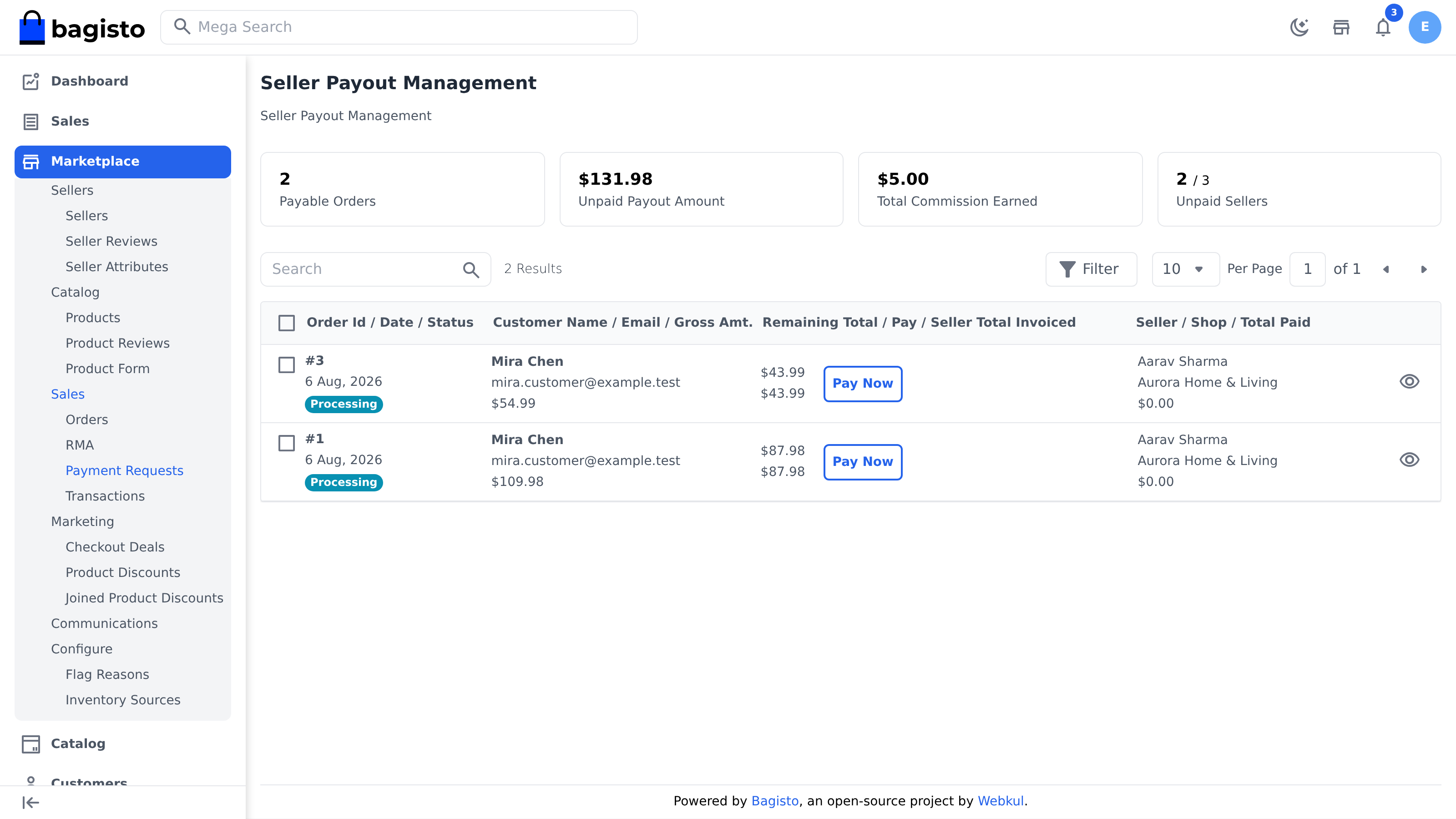
Mass payout is the bulk action on the same Seller Payout Management screen used for individual payments — Marketplace → Sales → Payment Requests. See Payment Management for the screen's summary cards and columns; this page focuses on settling many orders in one go.
Before selecting, use the filters (seller, customer, amount, status, or date) to narrow the list down to exactly the orders you want to clear in this run.
Paying in bulk
Select the payable orders you want to settle with the row checkboxes, then use the bulk Pay Now action to pay them together. Each order is settled for its full remaining amount and stamped with a system comment, exactly as an individual payment is — just processed as a batch — and each records a transaction.
TIP
Use the summary cards and filters to target a payout run — for example, clear every fully-invoiced order for the month in one pass, rather than chasing sellers individually.